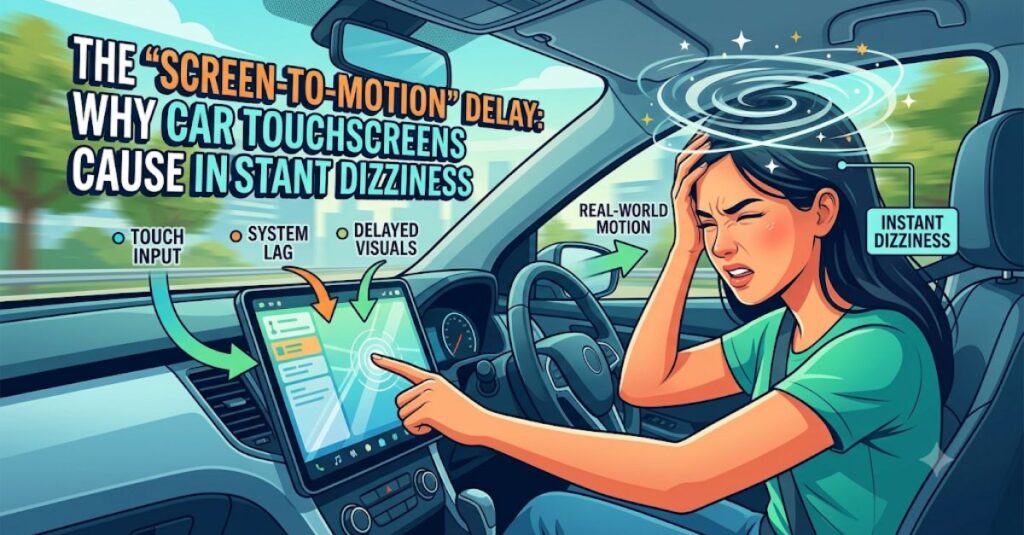
You are cruising down the highway, feeling perfectly fine. You reach over to the center console to adjust the air conditioning, change the Spotify playlist, or zoom in on the GPS map. You stare at the massive, glowing touchscreen for just five seconds—and suddenly, it hits you. A wave of dizziness washes over you, your head feels heavy, and your stomach drops.
If you have noticed that interacting with the massive infotainment screens in modern cars makes you instantly car sick, you are not alone.
While car manufacturers are racing to replace physical buttons with massive digital displays, human biology is struggling to keep up. This phenomenon—often called “cybersickness” or digital motion sickness—is a growing problem for both drivers and passengers. Here is the science behind why car touchscreens make your head spin, and how to conquer the nausea without giving up your tech.
The Root Cause: Sensory Mismatch on Steroids
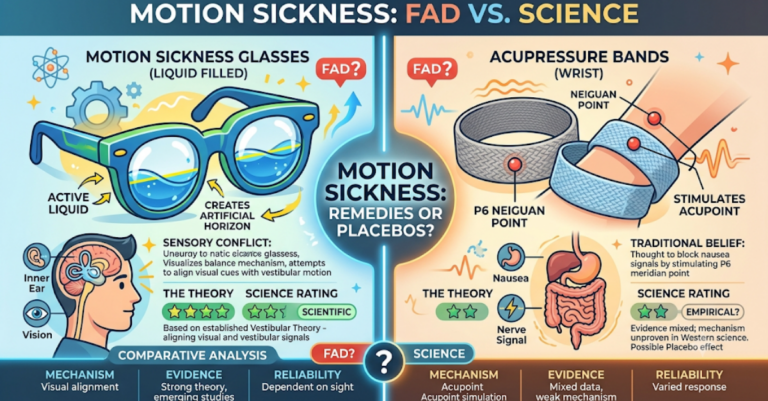
Like all forms of motion sickness, feeling green in the car comes down to a sensory mismatch. Your brain relies on your eyes, your inner ear (the vestibular system), and your muscles to understand how you are moving through space.
When you look at the road, your eyes and your inner ear are in perfect synchronization. They both agree you are moving at 65 mph. But the moment you look down at a touchscreen, that synchronization shatters.
Your eyes lock onto a static, glowing rectangle inside the cabin, telling your brain: “We are sitting perfectly still.” Meanwhile, your inner ear feels the hum of the engine, the vibrations of the road, and the subtle sway of the chassis, screaming: “We are moving fast!” Your brain panics at this conflicting data and triggers a nausea response.
Why Touchscreens are Worse than Physical Buttons
We have had radios in cars for decades, so why are touchscreens suddenly causing such intense nausea? It comes down to cognitive load and visual tracking.
1. The Loss of Tactile Feedback
With physical dials and buttons, you can adjust the AC or turn up the volume purely by touch, keeping your eyes anchored on the moving horizon. Touchscreens offer zero tactile feedback. To use them, you are forced to completely remove your visual anchor from the road and stare directly at the static screen to ensure you are pressing the right digital button.
2. The “Screen-to-Motion” Latency Delay
This is the hidden culprit behind cybersickness. Many car touchscreens have a microscopic delay (latency) between the moment you tap or swipe and the moment the screen actually responds. When you swipe a map and it lags for half a second while your physical body is simultaneously experiencing the bumps of the road, the visual stutter aggressively overloads your brain’s processing center.
3. High-Contrast Glare
Modern screens are incredibly bright. Staring at a high-contrast, glowing display in a slightly darker car cabin forces your pupils to rapidly adjust, accelerating eye strain and bringing on tension headaches in record time.
How to Navigate Without the Nausea
You cannot rip the touchscreen out of your car, but you can change how you interact with it to keep your senses aligned.
-
Leverage Voice Commands: The easiest way to avoid screen-induced dizziness is to not touch the screen at all. Use Apple CarPlay, Android Auto, or your car’s built-in voice assistant to change the music, adjust the temperature, or set a destination.
-
Turn Down the Brightness: Dig into your car’s display settings and lower the screen brightness, or set it permanently to “Dark Mode.” Reducing the harsh glare significantly cuts down on visual sensory overload.
-
The 2-Second Rule: If you must use the screen, never stare at it for more than two seconds at a time. Glance at the screen, make one tap, and immediately look back at the distant horizon to let your inner ear and eyes resynchronize.
The Ultimate Driver’s Hack: Acupressure Relief
If you are highly sensitive to motion sickness, adjusting the screen might not be enough to stop the dizziness once it starts. Taking over-the-counter anti-nausea pills is a terrible idea for drivers—medications like Dramamine cause heavy drowsiness and delayed reaction times, making it dangerous to operate a vehicle.
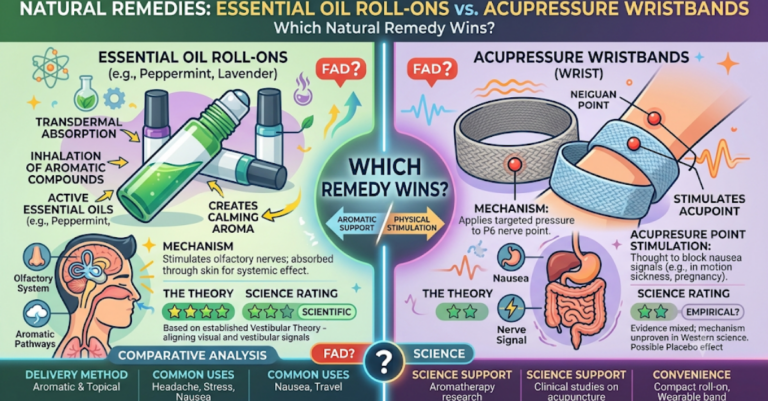
For fast, clear-headed, and incredibly safe relief, acupressure is the ultimate tool to keep in your glovebox.
The Pisix Band allows you to safely intercept nausea without compromising your alertness on the road. Made from a comfortable cotton blend, the band features a built-in stud that applies gentle, continuous pressure to the Nei-Kuan (P6) acupressure point on your inner forearm. Stimulating this median nerve sends a grounding signal to your brain that actively blocks the nausea signals traveling to your stomach.
-
Zero Brain Fog: Because it is 100% chemical-free, you retain your sharp focus, ensuring you stay alert behind the wheel.
-
Instant Activation: Slip the bands on the moment a screen interaction makes you feel dizzy for rapid recovery.
-
Always in Reach: Designed for modern convenience, the bands come in a sleek, compact 16.5x10x2 cm package that easily stashes in your center console.
Whether you rely on Amazon FBA for fast national delivery or you need relief immediately before a road trip via 10-minute quick-commerce apps like Blinkit, keeping a pair of Pisix Bands in your car ensures your next drive is smooth and sickness-free.